What You Will Learn in This Guide
- Why paying full price for Claude or GPT on every single task is a mistake
- What Hermes Agent actually is and how it differs from Claude Code
- The real cost difference between DeepSeek V4 and Claude Opus 4.7
- How OpenRouter gives you one key to control every AI model you use
- The Triad system: three models working together, each doing what it does best
- How to set up Gemini CLI and connect it to Hermes in minutes
- How to build a deep work persona that runs overnight analysis for cents
- OpenRouter routing tricks most people have never heard of
The AI Cost Problem Nobody Talks About Honestly
When I first started building with AI agents, I did what most people do. I connected everything to Claude Opus and called it a day. It was powerful, reliable, and it worked.
Then I checked my API bill.
Claude Opus 4.7 costs $5 per million input tokens and $25 per million output tokens. That sounds fine until you realize that an agentic workflow running overnight, checking databases, writing briefs, refining outputs, and looping through tasks can burn through millions of tokens without you noticing. Running that kind of system continuously is not cheap.
The real question that changed how I think about this: does every single task in that workflow actually need the most expensive brain available?
The answer is no. And once you accept that, everything changes.
What Hermes Agent Actually Is (And Why It Matters)

Most people confuse Hermes with Claude Code or Codex. They are fundamentally different tools built for different jobs.
Claude Code lives inside code repositories. It has a tight tool loop, it is session-bound, and it is built specifically for codebases. Each session starts relatively fresh.
Hermes Agent is different in four specific ways:
1. It is persistent. Hermes learns from every task you give it. Its memory grows over time. The more you use it, the better it understands how you work, what you are building, and what results you actually want.
2. It is self-evolving. Skills you build in Hermes are saved and reused. It gets better at your specific workflows the more tasks it completes.
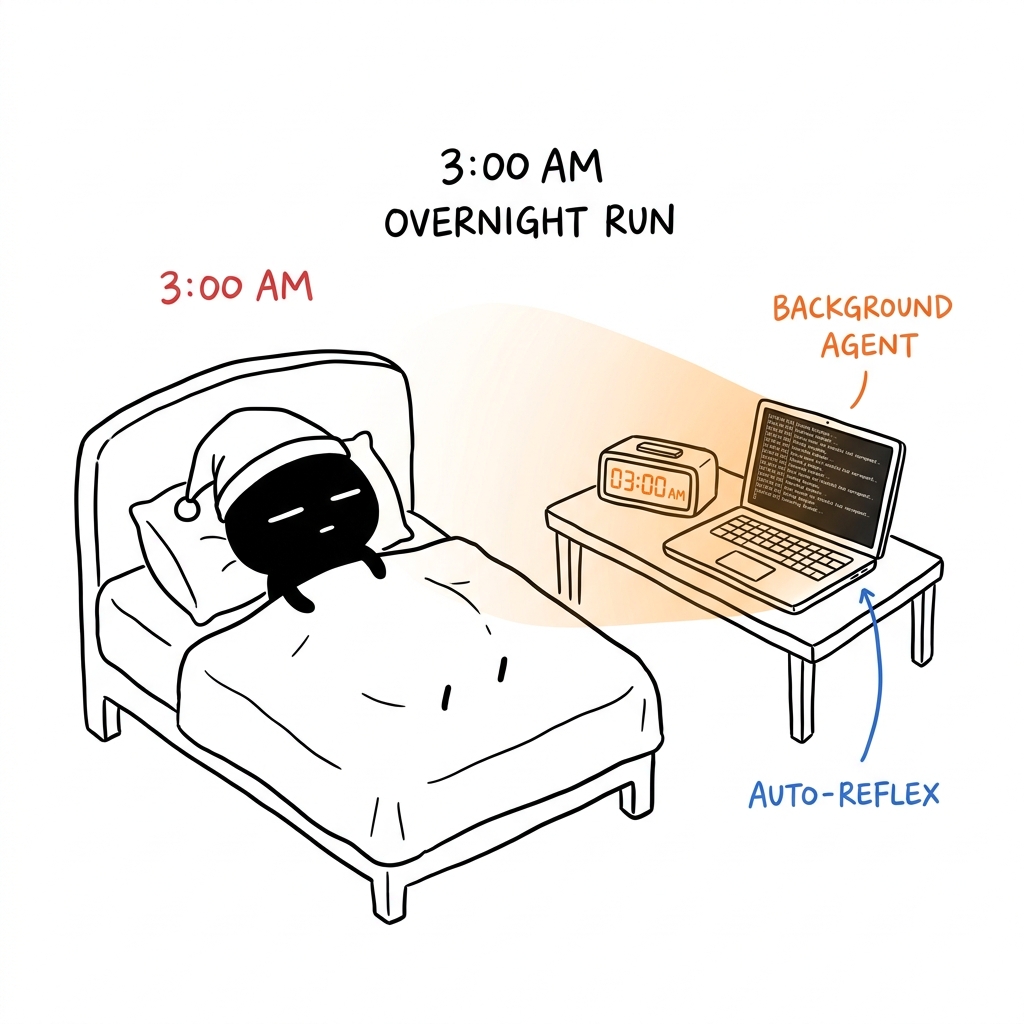
3. It schedules background jobs. You can hand Hermes a task at 10pm and come back at 8am to finished output. It works while you are not watching.
4. It works across your entire life, not just a codebase. Hermes connects to Telegram, Discord, Slack, WhatsApp, email, and more. It is a personal operating layer, not just a coding helper.
Understanding this distinction matters because the whole strategy in this guide depends on it. Hermes is the orchestration layer. The models it talks to are interchangeable. That is where the cost optimization lives.
DeepSeek V4: The Cost Numbers That Stopped Me Cold

Let me give you the actual numbers so this is concrete.
DeepSeek V4 Pro:
- Input tokens: $0.435 per million (cache miss)
- Output tokens: $0.87 per million
Claude Opus 4.7:
- Input tokens: $5 per million
- Output tokens: $25 per million
That is roughly 28x cheaper on output. For tasks where you are generating a lot of text, like research summaries, brief writing, content drafts, or analysis reports, the difference in a month of overnight runs is not marginal. It is hundreds of dollars.
DeepSeek V4 Pro also hits 93.5 on LiveCodeBench and 80.6 on SWE Verified. It is not a budget model that produces budget results. For heavy, repetitive execution work, the quality gap compared to Opus is real but smaller than the price gap.
The insight that actually matters here: you do not need Opus-level reasoning for every step of a workflow. You need it for planning and decision-making. For the grinding, iterative, generate-and-refine work that happens in the middle? DeepSeek V4 handles that at a fraction of the cost.
This is the foundation of the Triad system I will walk you through.
OpenRouter: One Key, Every Model, Full Control

Before building any multi-model system, you need to solve the key management problem. If you are pulling from Anthropic, OpenAI, Google, DeepSeek, and others separately, you have multiple API keys, multiple billing dashboards, and multiple rate limit concerns.
OpenRouter solves this completely. One API key. Access to 200-plus models. One dashboard showing your usage, costs, and performance across everything.
I connect Hermes to OpenRouter once. After that, I can switch the model Hermes uses for any task by changing a single string. No new keys. No new configurations. Just swap the model name.
The OpenRouter Routing Tricks You Should Know
Most people use OpenRouter as a simple proxy. They get the API key and leave all the settings at default. That is leaving real value on the table.
OpenRouter has a variant suffix system that gives you granular control over how your requests are routed. You add these suffixes to any model name.
:nitro Routes your request to the fastest available provider for that model at that moment. Useful when you need a quick response and do not want to wait for a loaded endpoint.
:exacto Sends your request only to providers that have been verified for tool-calling accuracy. This matters for agentic workflows where the model needs to call databases, run scripts, or trigger external systems. A model that hallucinates a tool call wastes your time and your tokens. As of early 2026, OpenRouter runs Auto Exacto by default for requests that include tools, re-evaluating providers every five minutes across throughput, accuracy, and benchmark signals.
:floor Routes to the cheapest available provider for that model. Good for bulk batch tasks where speed does not matter.
:online Routes to model versions with live web search access.
OpenRouter Auto picks the best overall model for your specific prompt without you specifying one. Good for exploratory tasks where you are not sure which model fits best.
Zero completion billing means you are never charged for blank or error responses. For teams running high-volume agentic tasks, this adds up to meaningful savings.
BYOK (Bring Your Own Key) lets you add your direct provider API keys into OpenRouter. So if you have a DeepSeek API key and you want to use it through OpenRouter to avoid rate limits while still getting OpenRouter's routing and dashboard, you can do that.
That last one is worth emphasizing. If you are running DeepSeek V4 heavily overnight, rate limits are a real concern. Adding your own DeepSeek key to OpenRouter via BYOK removes that ceiling while keeping all the routing and monitoring benefits.
The Triad System: Three Models, One Verdict

This is the core concept that makes overnight AI work actually reliable.
The problem with running a single model on complex tasks is that one model cannot be simultaneously the best planner, the most efficient executor, and the most critical reviewer. No model is perfect at all three. And using the most expensive model for all three roles is wasteful.
The Triad solves this by assigning each role to the model that handles it best.
The Three Roles
The Planner: Claude Opus 4.7
Opus 4.7 is the most capable planning and reasoning model available right now. It gets the first look at any task. Its job is to decompose the goal, write a clear brief, identify the key angles to explore, and set up the execution workflow. This is the role that needs the full Opus brain. Fortunately, planning prompts are relatively short. The cost stays controlled.
The Worker: DeepSeek V4
Once the brief exists, DeepSeek V4 takes over. It reads the plan, works through each angle, generates drafts, runs analysis, and produces the bulk of the output. This is the grinding work. It can run for hours on a topic, retry if something does not come out right, and iterate cheaply. At $0.87 per million output tokens, you can let it generate a lot without worrying about cost.
The Critic: GPT-5.5
When DeepSeek finishes, GPT-5.5 reviews the output. Its job is to find weaknesses, flag inconsistencies, identify gaps, and score the result. The key here is using a different model from the one that did the work. A model reviewing its own output will miss the same things it missed when generating it. Bringing in a different perspective catches things the worker would not catch itself.
The three roles loop. The Planner reads the Critic's feedback. A new brief goes to the Worker. The loop continues until the Critic approves.
Why This Works Overnight
You set the task before you go to sleep. Opus writes the plan. DeepSeek grinds through it. GPT-5.5 reviews. The loop runs as many times as needed. You wake up to a finished, reviewed output.
The cost of this system running overnight on a substantial research task is a few dollars at most. Running the same workflow with Opus doing all three roles would cost many times more and would not actually produce better final output because the Critic role and the Worker role benefit from different model perspectives anyway.
Ready to Build Your AI Triad?
Stop overpaying for compute. We help teams deploy multi-model, agentic workflows using Hermes and OpenRouter.
Access the Official Hermes Agent GitHub Repository
Get the official setup, configuration files, and documentation for the Hermes Agent directly from the NousResearch repository.
Setting Up Gemini CLI Inside Hermes
Prerequisite: Hermes Agent installed. A Google account. That's it.

One of the models worth adding to your Hermes setup is Gemini, specifically for multimodal tasks. Gemini is the strongest model available for video understanding and image analysis. If your workflow involves analyzing screenshots, YouTube content, visual assets, or video frames, Gemini handles this where other models fall short.
The good news: Gemini CLI is free to use with a Google account. No paid subscription required to start.
How to install Gemini CLI through Hermes:
Step 1: Go to the Gemini CLI GitHub repository and copy the repository URL
Step 2: Open Hermes and type:
1Please install the Gemini CLI onto my computer using this repository: [paste URL]Step 3: Hermes will run the installation automatically. No manual terminal commands needed.
Step 4: Verify the installation worked by asking Hermes to use Gemini CLI for a test task:
1Use the Gemini CLI to analyze the first 10 seconds of this YouTube video2and give me a breakdown of what you see: [paste YouTube URL]If Gemini returns a visual breakdown, the CLI is working correctly.
Once installed, you can call Gemini from Hermes any time your workflow involves visual or video content. The multi-model system now has a fourth capability that neither Claude nor DeepSeek handles as well natively.
Connecting OpenRouter to Hermes

This is a one-time setup that takes about five minutes.
Step 1: Get your OpenRouter API key
Create an account at openrouter.ai. Go to API Keys and generate a new key. Keep this somewhere safe.
Step 2: Add DeepSeek as a priority key (recommended)
Inside OpenRouter, click on BYOK in the left sidebar. Search for DeepSeek and add your DeepSeek API key. This ensures Hermes can reach DeepSeek V4 without hitting OpenRouter's shared rate limits, which matters when you are running long overnight sessions.
Step 3: Run Hermes model setup
Open your terminal and run:
1hermes setup modelA list of providers appears. Find OpenRouter in the list and press the spacebar to select it. Follow the prompts. When asked for an API key, paste the OpenRouter key from Step 1.
Step 4: Verify the connection
Start a Hermes session and ask it something simple. If it responds using a model accessed through OpenRouter, the connection is live.
From this point, any model available on OpenRouter is accessible to Hermes through simple natural language. You do not need to configure individual provider connections. OpenRouter handles the routing.
Building the Orpheus Persona: Your Deep Work System

Hermes has a feature called the Pantheon, which lets you create named personas. Each persona is a saved configuration that defines a specific way of working: which models to use, what the workflow looks like, and when to summon it.
The persona I use for deep research and analysis work is one I call Orpheus. You can name yours anything you want. The name is just how you invoke it in conversation.
What Orpheus does:
Orpheus is my Triad persona. When I call on it, Hermes automatically routes the task through the three-model workflow described above. I do not have to specify models, explain the critique loop, or manage anything manually. I just say:
1Use Orpheus to analyze this topic for me: [describe the problem]And the Triad system runs.
How to create a persona like this:
Step 1: In the Hermes Pantheon, click Add Persona
Step 2: Give it a name and a job description. Keep the description specific. Example:
1Deep work research system. Reasons through any complex topic using a three-model2workflow. Claude Opus 4.7 plans, DeepSeek V4 executes, GPT-5.5 critiques.3Use when I need thorough, verified analysis on a difficult subject.Step 3: Add the full Triad workflow as the system prompt. The three sections are:
- Conductor instructions (Opus): decompose the task, write the brief, identify angles
- Worker instructions (DeepSeek): read the brief, generate content for each angle, iterate
- Critic instructions (GPT-5.5): evaluate the output, score quality, flag gaps, return feedback
Step 4: Select Claude Opus 4.7 as the orchestrating model
Step 5: Save and sync the persona to your Hermes session
Once saved, this workflow is permanently available. Any time you need deep, reliable analysis on a complex topic, you invoke Orpheus and let the system run. You can do this before bed and review the results in the morning.
A Real Example: Running Overnight Research
Here is how I use this system on an actual workflow to make it concrete.
I wanted to understand the competitive landscape for a niche I was considering entering. This is exactly the kind of task that benefits from the Triad system because it requires:
- Structured thinking about what angles to research (Planner)
- Exhaustive, cheap generation of research across those angles (Worker)
- Honest evaluation of whether the analysis is actually useful (Critic)
My prompt before going to sleep:
1Use Orpheus for the following task.2 3I want to understand the competitive landscape for [niche topic].4 5For each competitor you identify:6- Describe their positioning and core offer7- Identify gaps in what they offer8- Analyze the messaging angle they are using9- Rate how saturated this niche appears10 11Do not stop until the Critic approves the output.12Save the final report to my research folder.I woke up to a 12-page structured analysis with a clear summary, competitor profiles, and a gap assessment. The total cost was under $2. Running the same workflow manually with Opus on every step would have taken me hours of active work and cost significantly more.
Pro Tips for Getting the Most Out of This Setup
Use Nitro for time-sensitive tasks, DeepSeek for overnight tasks. When you need a fast response during the day, append :nitro to your model name. When you are running background work, default speed is fine because the loop runs without you watching.
Load your DeepSeek BYOK key before any long session. The shared DeepSeek allocation on OpenRouter can hit limits when demand spikes. Your own key bypasses that completely.
Write brutally honest Critic instructions. The quality of the final output depends on how demanding you make the Critic. Vague critic instructions produce vague reviews. Include specific things to check: factual accuracy, logical consistency, completeness of coverage, whether the brief was actually followed.
Build personas for every repeatable workflow. The more specific and well-defined a persona, the less you have to explain in each session. I have personas for content research, competitor analysis, product brief writing, and SEO analysis. Each one knows exactly which models to use and how to run the loop.
Check your OpenRouter dashboard weekly. The usage breakdown by model shows you exactly where your money is going. If one step in your Triad is burning more than expected, you can swap it for a cheaper model without rebuilding the whole system.
Hermes vs Claude Code: When to Use Each
This comes up often so I want to address it directly.
| Situation | Use Hermes | Use Claude Code |
|---|---|---|
| Working with a specific codebase | No | Yes |
| Running overnight background tasks | Yes | No |
| Multi-model workflows with cost optimization | Yes | Possible but more setup |
| Persistent memory across many sessions | Yes | Via CLAUDE.md only |
| Messaging integrations (Telegram, Discord, etc.) | Yes | No |
| Debugging a specific code error | No | Yes |
| Research and analysis tasks | Yes | No |
| Building reusable automation skills | Yes | Yes (different format) |
The short version: if it involves code in a repository, use Claude Code. If it involves knowledge work, automation, research, or overnight tasks, use Hermes. They solve different problems and work well alongside each other.
Frequently Asked Questions
What is Hermes Agent and how is it different from Claude Code?
Hermes Agent is an open-source autonomous agent built by Nous Research. Unlike Claude Code, which is session-bound and built for codebases, Hermes is persistent. It builds memory over time, schedules background tasks, and connects to messaging platforms like Telegram and Discord. It is designed to work across your entire workflow, not just inside a code editor.
What is DeepSeek V4 and why is it cheap?
DeepSeek V4 is a large language model built by DeepSeek, a Chinese AI research company. The V4 Pro variant costs $0.87 per million output tokens compared to $25 per million for Claude Opus 4.7. DeepSeek achieves this through efficient architecture and training choices. On benchmark tasks like LiveCodeBench and SWE Verified, it performs at a level comparable to much more expensive models, making it well-suited for the heavy execution steps in automated workflows.
What is OpenRouter and do I need it?
OpenRouter is a unified API gateway that gives you access to over 200 AI models through a single API key. Instead of managing separate keys and dashboards for Anthropic, OpenAI, Google, and DeepSeek, you manage one key and one dashboard. For multi-model workflows like the Triad system, OpenRouter is effectively required because it makes swapping models seamless.
What is the Triad system in AI automation?
The Triad is a three-model workflow where each model handles the task it is best suited for. A planner model (Claude Opus 4.7) decomposes the task and writes the brief. A worker model (DeepSeek V4) executes the bulk of the work cheaply. A critic model (GPT-5.5) reviews the output and flags problems. The loop runs until the critic approves. Using three different models instead of one avoids the blind spots that come from having the same model plan, execute, and review its own work.
What is OpenRouter Exacto and how does it improve agentic workflows?
Exacto is a routing variant on OpenRouter that sends your request only to providers with verified tool-calling accuracy. When an AI agent needs to call a database, run a script, or trigger an external tool, it needs the model to produce clean, valid tool calls. Some providers host the same model but with lower accuracy on tool calls. Exacto filters for only the providers that pass OpenRouter's quality threshold. As of 2026, Auto Exacto is on by default for any request that includes tools.
What is Nitro in OpenRouter?
Nitro is a routing variant that prioritizes the fastest available provider for a given model at that moment. Append :nitro to any model name and OpenRouter routes your request to the endpoint with the highest current throughput. Useful during interactive sessions where you want fast responses.
What is BYOK in OpenRouter?
BYOK stands for Bring Your Own Key. It lets you add your direct provider API keys to OpenRouter. For example, you can add your DeepSeek API key so that when you access DeepSeek V4 through OpenRouter, it uses your personal rate limit allocation rather than OpenRouter's shared pool. This prevents rate limit issues during long overnight sessions.
Can Hermes use Gemini for free?
Yes. Gemini CLI is accessible with a standard Google account at no cost for basic usage. Once installed on your machine and connected to Hermes, you can route multimodal tasks (especially video and image analysis) through Gemini without paying per token. It is one of the legitimate free capabilities in this multi-model setup.
How much does it actually cost to run this system overnight?
For a typical deep research task running 3 to 4 hours overnight, total cost through this setup is usually $1 to $3. The majority of the token spend is in DeepSeek V4 during the execution phase. Opus is only used for short planning prompts. GPT-5.5 is only used for the critique step, which is also relatively short. Compared to running Opus on every step of the same workflow, the cost reduction is significant.
What is a Hermes persona and how do I create one?
A persona in Hermes is a saved workflow configuration with a name. You give it a description, a system prompt, and a designated model. When you invoke the persona by name in conversation, Hermes runs the workflow exactly as configured. You can create personas for any repeatable task: deep research, competitor analysis, content briefs, SEO audits. Each persona removes the need to re-explain the workflow in every new session.
The Bigger Idea Here
The real shift this setup represents is not about saving money, although the savings are real.
It is about changing the relationship between your time and the work that gets done.
When AI was expensive and slow to run autonomously, you had to be present for most of it. You prompted, reviewed, prompted again, reviewed again. The AI worked at the pace you were willing to supervise.
With a system like this, you define the task clearly, hand it to the right workflow, and let it run. The Planner thinks. The Worker builds. The Critic reviews. The loop closes. You come back to something finished.
The tools that make this possible right now are Hermes for orchestration, DeepSeek V4 for cheap and capable execution, OpenRouter for seamless model switching, and the Triad structure to make sure the output quality stays high.
All four are available today. The setup takes an afternoon. What happens after that depends on what you ask it to build.
Ready to Automate Your Workflows?
Connect with us for a deep-dive audit of your AI agent pipelines.
Related Guides
- OpenAI Codex Complete Guide: Zero to Deployed App - For when you need an AI agent working inside a codebase
- 50 Best Claude Code Skills: Complete Reference - The skill library to install before your next build
- Official Hermes Agent documentation: hermes-agent.nousresearch.com
- OpenRouter model catalog: openrouter.ai/models
- DeepSeek V4 pricing: api-docs.deepseek.com/quick_start/pricing
Written by Muhammad Shadab Shams | AI Automation | aifloxium.online | X @ShadabLoveAi